
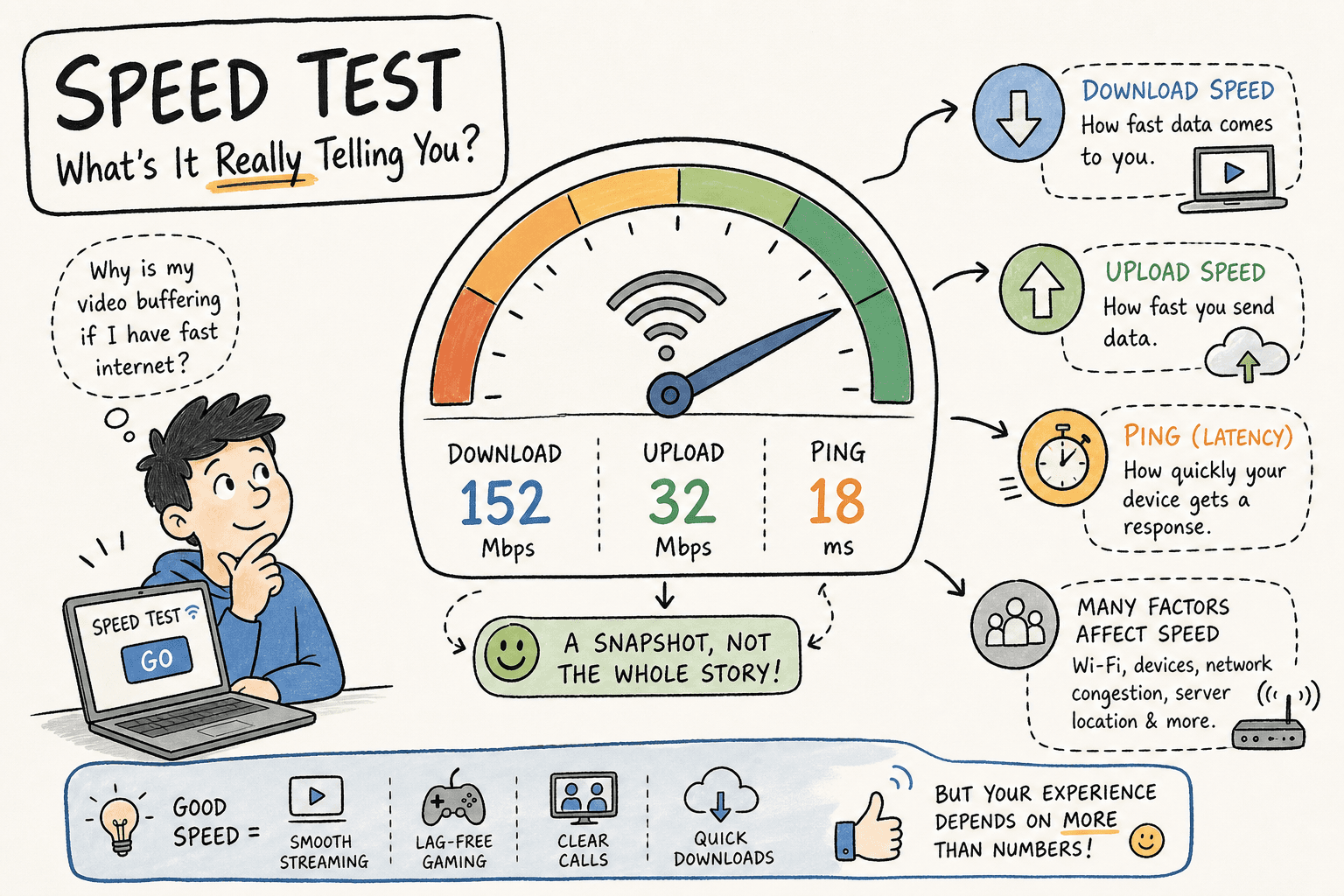
You've been there. White background. A ring that fills up. A number appears. You stare at it. You're not sure if it's good or bad. You close the tab. Nothing has changed. You have no idea what to do with 94.3 Mbps and you feel vaguely cheated out of 30 seconds of your life.
That's the standard internet speed test experience in 2026, and it hasn't meaningfully changed since broadband became a household word. The tools work. The numbers are real. But the experience is the digital equivalent of getting blood drawn — necessary, functional, and something you actively avoid doing as often as you should.
There's a better way. Not just a prettier one — a genuinely better one that gets you more useful data, more often, because you'll actually use it. Here's why the boring speed test is costing you real information, and what a fun internet speed test actually looks like when it's built properly.
Try the VROOOMS speed test — pick your car and go
Why most people test their internet speed wrong
The average person runs a speed test when something breaks. Netflix buffers. Zoom stutters. A download takes longer than it should. They open a tab, hit the button, get a number, feel mildly informed, and go back to being frustrated when the problem continues.
That's the wrong approach, and the boring test experience is a big part of why it persists. When something feels like a chore, you do it as rarely as possible. When you do it rarely, you get a single snapshot instead of a pattern. A single speed test result is almost meaningless on its own — your internet connection fluctuates throughout the day based on network congestion, your device load, how many people are on your street's node, and half a dozen other variables you can't see. The number you got at 2pm on Tuesday tells you almost nothing about why your connection feels sluggish at 7pm on Friday when everyone in your neighbourhood is streaming at once.
The tool that gets you to run more tests, more often, at different times of day, is the tool that actually gives you useful data. And that means the experience of testing has to feel like something other than a medical procedure.
The psychology of boring tools
Every major speed test looks the same. A plain background. A large circle or meter. A single button. Numbers that mean nothing without context. You press go, you wait, you get a result with no explanation of whether it's good for your specific situation.
This design isn't accidental — these tools were built by engineers for engineers, and the aesthetic reflects that. Functional. Neutral. Informative if you already know what you're looking at. Useless if you don't.
The problem is that most people are not engineers. Most people don't know offhand whether 47ms ping is acceptable for the game they're trying to play, or whether their 11 Mbps upload is why their Zoom calls look bad on the other end. The boring test gives you the raw number and leaves you to figure out the rest. For most users, that gap between "I have a number" and "I know what to do with it" is exactly where the test fails them.
A genuinely useful speed test doesn't just measure. It translates. It puts the result in context. It tells you what 47ms means for gaming, what 11 Mbps means for video calls, and whether the numbers you're seeing are normal or a signal that something needs fixing. For gaming-specific metrics, the VROOOMS gaming speed test highlights ping and jitter alongside download and upload speed.
What makes a speed test actually fun — and why it matters for accuracy
Fun sounds like a superficial concern when you're trying to diagnose a technical problem. It isn't. The design of the test experience directly affects how often you run it and how carefully you prep for it — and both of those things affect the quality of your data.
Here's what a well-designed speed test does differently.
It gives the test a context that makes you care about the result
The single biggest design insight behind VROOOMS is this: if your internet connection is the engine, you should be able to see the car it's powering. Picking a themed ride before your test isn't decoration — it anchors the abstract number to something visceral. When your on-screen car crawls around the track at 14 Mbps instead of racing at 150 Mbps, you understand immediately and intuitively that your connection is underperforming, without needing to understand what 14 Mbps means in isolation.
That contextual framing changes how people interact with their results. Instead of "I got 14.2 Mbps" — a number you might or might not remember — you get "my car was barely moving." That sticks. That makes you want to fix it. That makes you run the test again after you've tried the fixes.
It explains the numbers where you can't ignore them
Speed test results are shown on screen for about ten seconds before most people close the tab. In those ten seconds, most tools show you four numbers and nothing else. Understanding what they mean requires you to already know what they mean.
A properly built tool puts context right next to the number. Not a help icon you have to click. Not a separate page you have to navigate to. Right there, in plain language, next to the metric: what it means for streaming, for gaming, for calls. You read the result and the interpretation at the same time. The test becomes useful immediately, for everyone, not just for people who already know what they're looking at.
It makes running multiple tests feel worthwhile
This is the one that actually moves the needle on data quality. Because one speed test result is nearly meaningless. You need at least three to five tests across different times of day to understand what your connection actually does. The classic boring test gives you zero incentive to run it more than once. A test that's engaging, that you feel like you're actually getting something out of beyond a number on a white screen, is a test you'll run again.
The four things your fun speed test should still measure properly
Fun is not a substitute for accuracy. A speed test that looks great but measures badly is worse than a boring one that measures correctly, because it gives you confidence in wrong data. Here's what to verify before you trust any speed test, fun or otherwise.
Real bytes, not synthetic estimates
The only accurate measurement of your internet speed is one that actually moves data. Some speed tests use synthetic or simulated measurements that bear little relationship to real-world performance. The most reliable tools run genuine HTTPS requests to servers, the same type of request your browser makes when you load a webpage or stream a video. VROOOMS measures this way. The result reflects how your network actually performs during normal activity, not under a manufactured lab condition.
All four metrics, not just download
Download speed is the number most tools show you most prominently, and it matters — but it's not the whole picture. Upload speed explains why your video calls look fine to you but bad to everyone else. Ping explains why your game feels laggy even when your download looks fast. Jitter explains why calls that look fine on paper still stutter randomly. A tool that shows you all four numbers, with plain-language context for each one, gives you four times as much diagnostic information as one that shows only download. For a deep dive into what each metric means and when it matters, the full speed test explainer on this blog covers every number in detail.
Consistency across multiple runs
Your first result is a snapshot. Your fifth result, taken at a different time of day, is data. The difference between a consistent tool and an inconsistent one is whether the readings you get at 9am, 12pm, and 8pm tell a coherent story about your connection — or whether they bounce around so wildly that you can't draw any conclusions. A good test should give you similar results under similar conditions. If it doesn't, either your connection has a real problem or the tool's measurement methodology is unreliable.
No app, no account, no friction
Every additional step between "I want to check my speed" and "I have a result" is an opportunity to give up. Requiring an app download, a login, or a lengthy setup process means the test that should take 30 seconds takes five minutes of friction first. The best speed tests are zero-install browser tools that work immediately on any modern device. You open the tab, you hit the button, you get the result.
Who actually benefits from a fun speed test
The honest answer: almost everyone except network engineers running technical audits.
Casual userswho only check their speed when something breaks and can't interpret the number they get. These are the people the standard boring test fails most completely. A car that races faster or slower depending on your connection speed communicates the result in a way that doesn't require any technical background.
Gamerswho know that ping matters but aren't always sure what their current ping actually means for the specific game they're playing. Seeing your connection performance mapped to a racing game — where latency and speed directly determine whether your car is competitive — makes the relationship between the numbers and the experience completely intuitive.
Households with multiple userswho want to understand their connection without getting into a technical argument. "The car was crawling when we ran it at 8pm" is a more actionable conversation starter than "we got 23 Mbps which is down from the 87 Mbps we got this morning."
Anyone using mobile datawho wants to understand what their 4G or 5G connection is actually delivering versus what the carrier advertises. A fun, engaging test that takes 30 seconds is a test you'll actually run before you commit to streaming something on cellular data.
The one group that might genuinely prefer the clinical experience: IT professionals running baseline tests for network documentation. For everyone else, a test that makes you want to run it more often is a better tool than one that makes you avoid it.
The multiplayer angle: racing your internet speed against someone else
This is where the fun speed test concept goes somewhere no traditional tool has gone. The speed test as a competition.
VROOOMS race roomslet you take your measured connection speed and race it against another real person somewhere in the world with a similar connection. Your download speed powers your car. Their download speed powers theirs. The race IS the test — you're both running actual speed measurements simultaneously, and the result is determined by what your connections actually deliver.
This does something that no traditional speed test can: it makes your internet performance emotionally meaningful in real time. Not "I got 87 Mbps" — but "I beat someone in South Korea with the same fibre plan." Not "my ping was 14ms" — but "my car response felt immediate while theirs lagged." The data is the same. The experience of understanding it is completely different.
It also means you run the test more often, in more conditions, and pay more attention to the result — which means you build a better picture of your connection's actual behaviour over time.
How to get more out of your speed test regardless of which tool you use
Even if you stick with the plainest, most boring speed test on the internet, these habits will make the data you get from it dramatically more useful.
Test at peak hours. The number you get at 2pm on a Tuesday is your best-case scenario. The number you get at 8pm on a weekday is closer to your real-world experience. Test at both and compare.
Test wired before you test Wi-Fi.A wired Ethernet connection removes your router and wireless interference from the equation and shows you exactly what your ISP is delivering to your home. Compare that against your Wi-Fi result and you'll immediately know whether your problem is with your ISP or your home network. A large gap between the two means your Wi-Fi setup is the bottleneck, not your broadband.
Run at least three tests per session. Your first result can be skewed by a momentary burst or quiet period on the network. Three results in quick succession, averaged, give you a reliable baseline for that time of day.
Check all four numbers, not just download. If your download looks fine but something feels slow, look at your upload and ping. A 100 Mbps download with 80ms ping will feel worse for gaming than a 25 Mbps download with 12ms ping. A 100 Mbps download with 3 Mbps upload will ruin your Zoom calls regardless of how fast the download number looks.
Keep a record. Screenshot your results with the time and date. Three weeks of results tells you whether your connection is consistently underperforming or whether the slow period you noticed was a one-off congestion spike. That record is also what you need if you ever have to call your ISP about a problem — providers take documented evidence significantly more seriously than verbal complaints.
The bottom line on fun speed tests
The speed test you run is better than the speed test you don't run. And the speed test you run five times a week because it's actually engaging is better than the one you run reluctantly once a month because it feels like a chore.
The boring tools are accurate. They'll keep working, keep showing you a number, and keep leaving you to figure out what it means. They've dominated this space for twenty years because they were built first and built well enough that nobody asked whether "well enough" was the right bar.
A well-built fun internet speed test isn't a compromise between entertainment and accuracy. It's a tool that uses engagement to get you to run it more often, in more conditions, and pay more attention to the result — which makes the data you get from it genuinely more useful than a single reluctant reading on a white screen.
Run your connection through VROOOMS. Pick the car that matches your mood. See what your internet actually delivers. Then come back at 8pm and run it again. The difference between those two results might be the most useful internet diagnostic you've ever done.